

Accessing your water usage
Log in to your online account
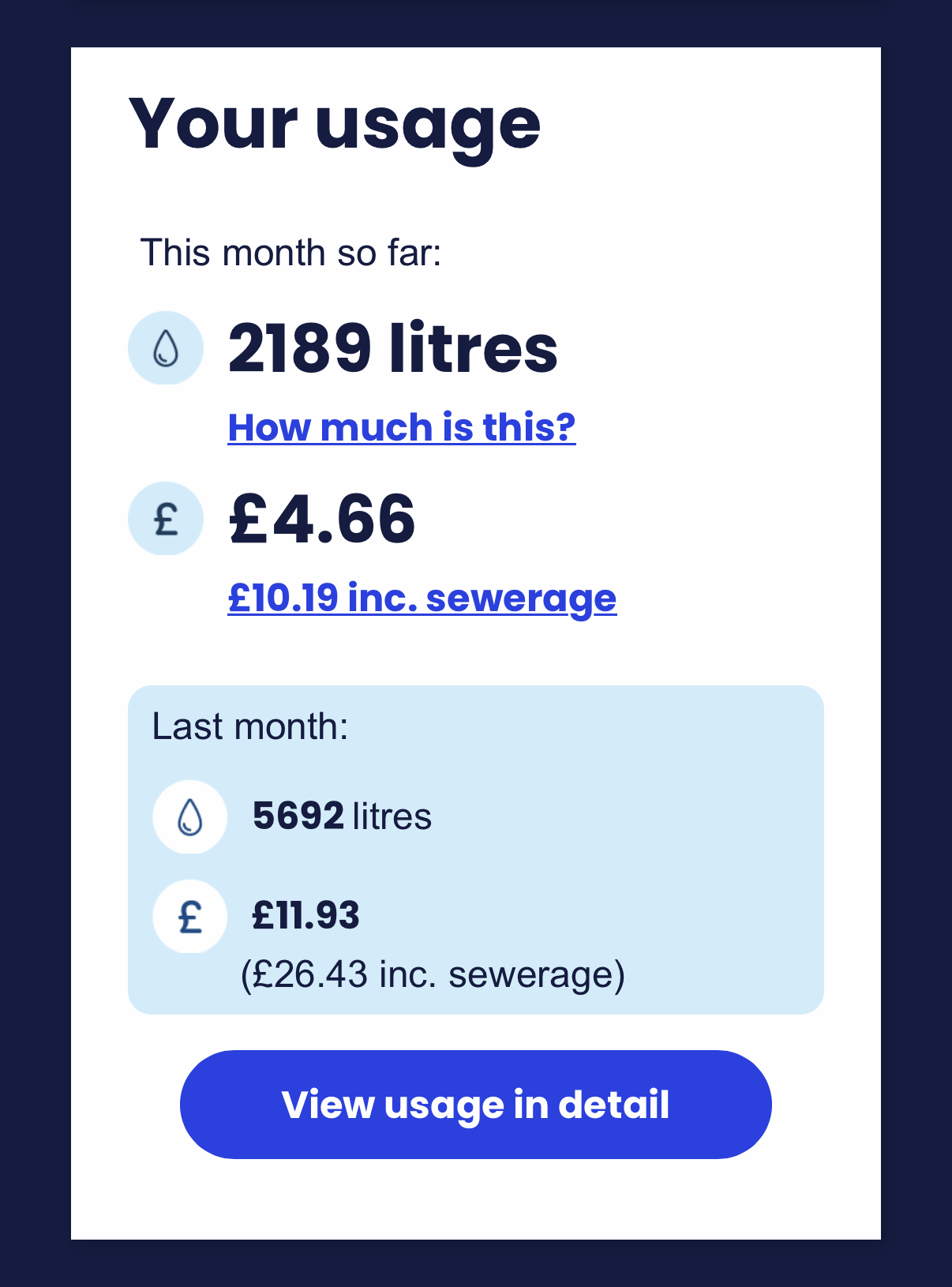
Understanding the graph
Here are some pointers to help you understand the graphs in your online account.
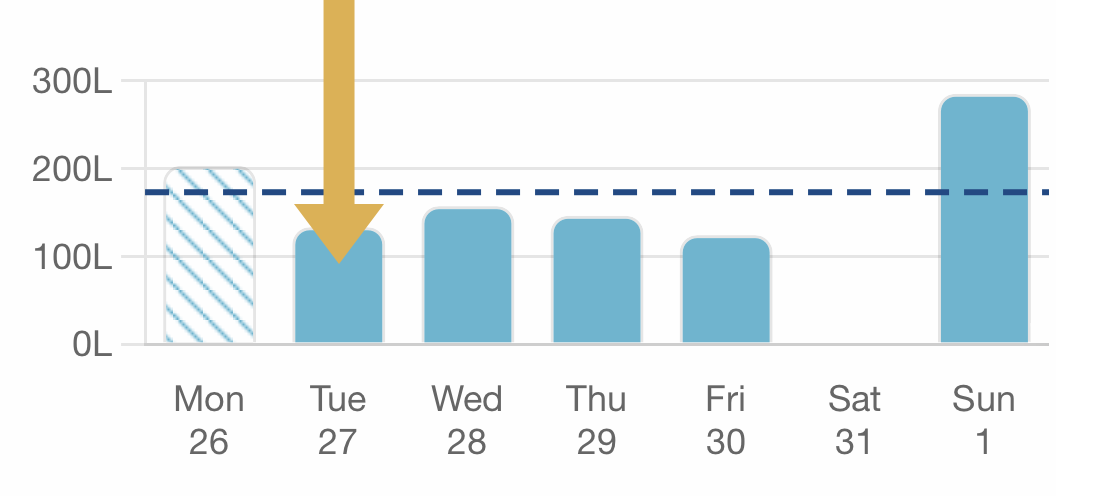
Water usage
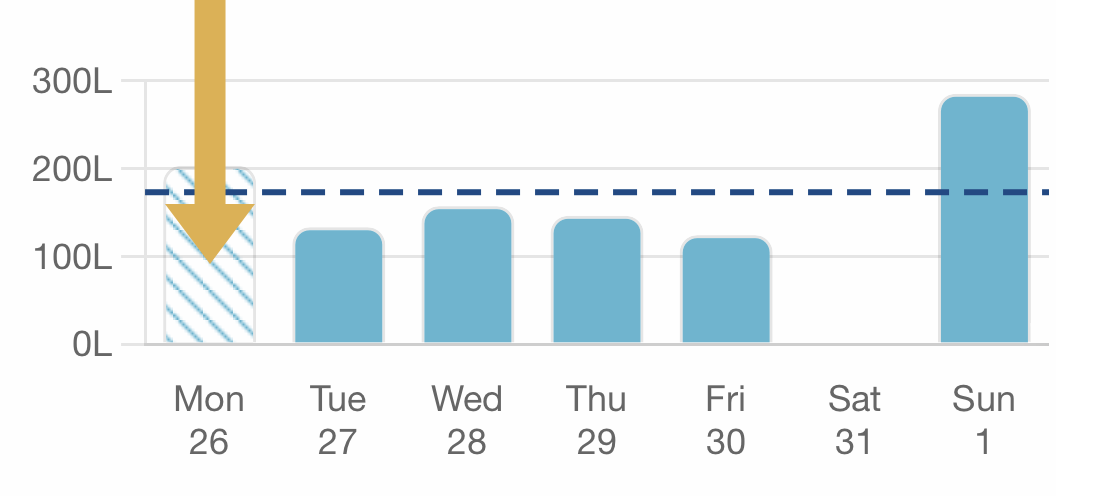
Estimated usage
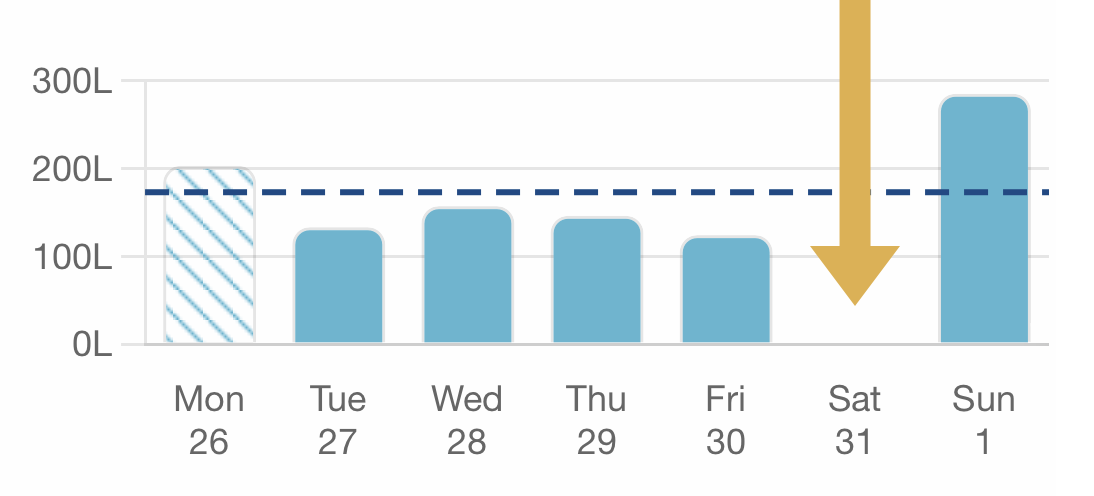
Missing data
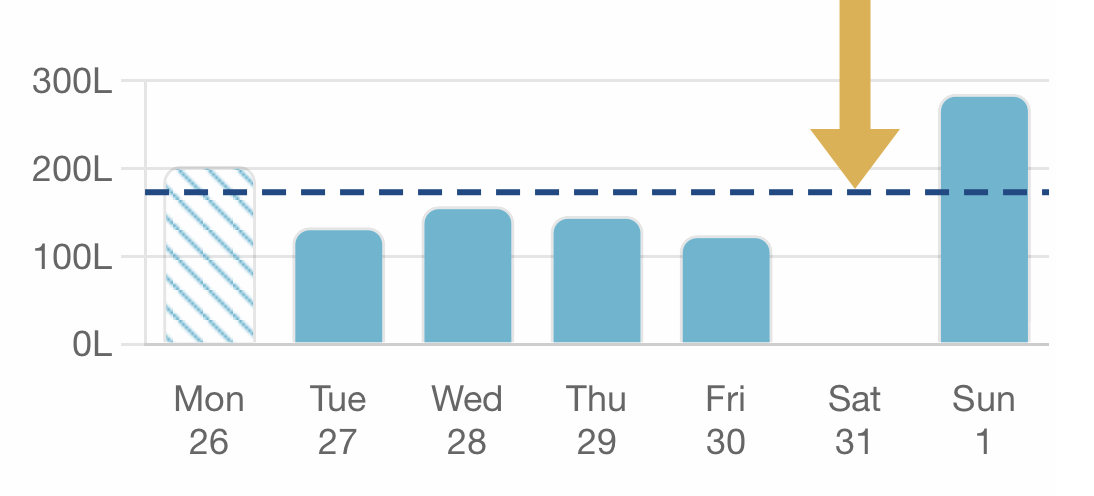
Average usage
Track usage over time
View your water usage by week, month or year to get a clearer picture of how and when you use water.
Whether you're checking for leaks, tracking the impact of water-saving changes or monitoring your usage over time, flexible views help you stay in control and make informed decisions about your water use.
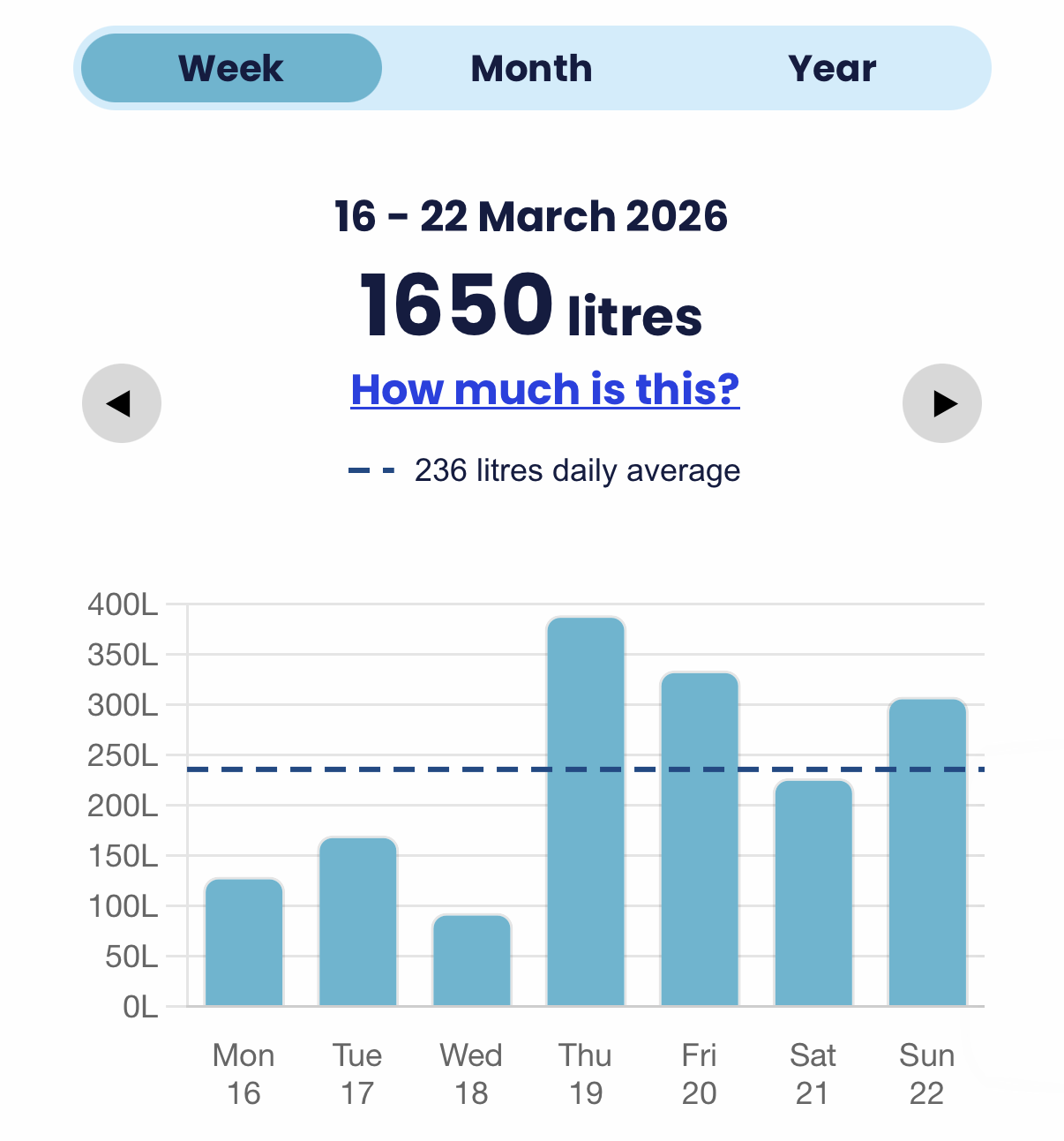
Week view
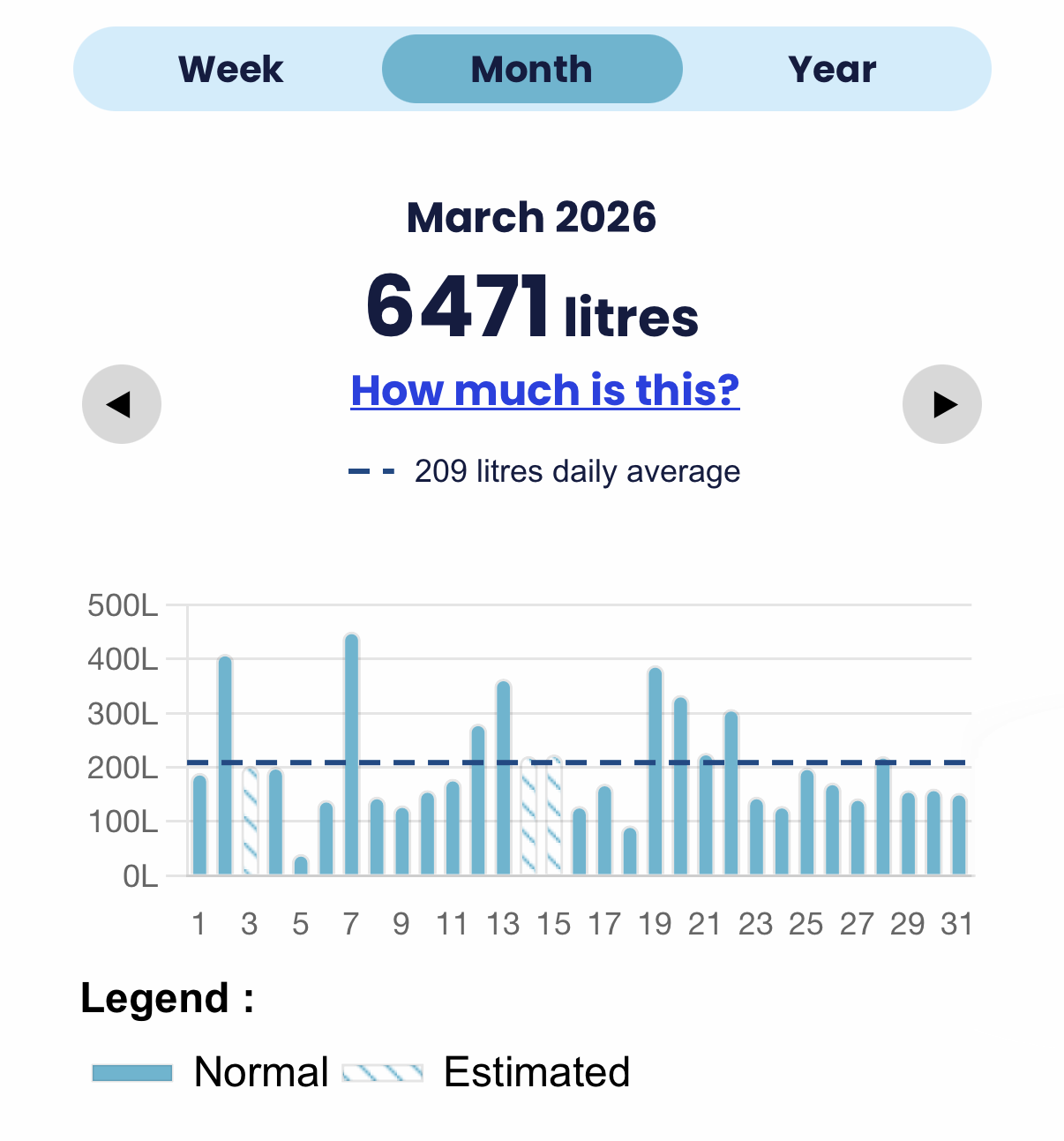
Month view
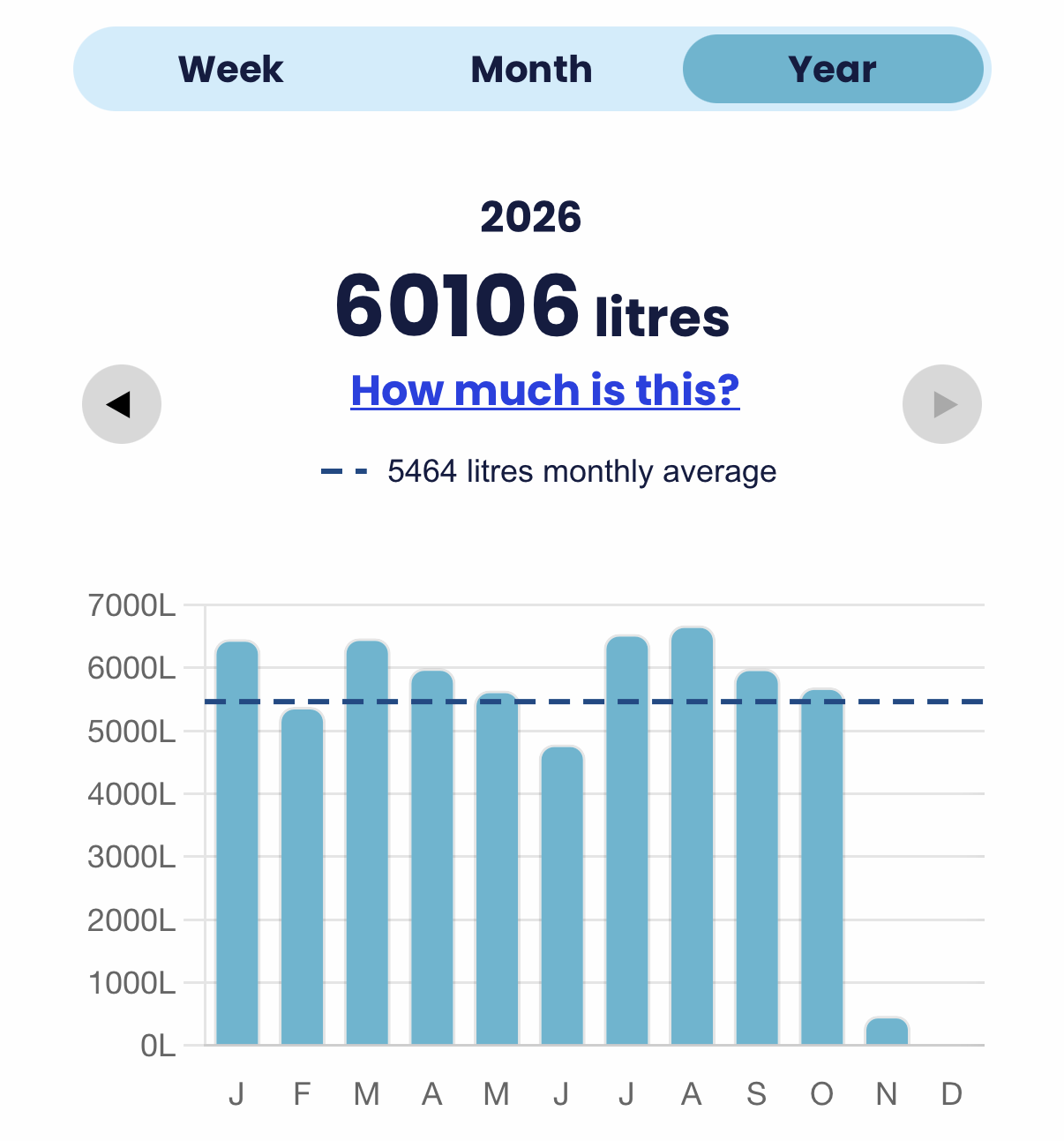
Year view
Usage in litres or pounds
Switch between litres and cost to understand both how much water you're using and what it could mean for your bill. Whether you're looking to save water, reduce costs or both, different views help you see the impact of your usage more clearly.
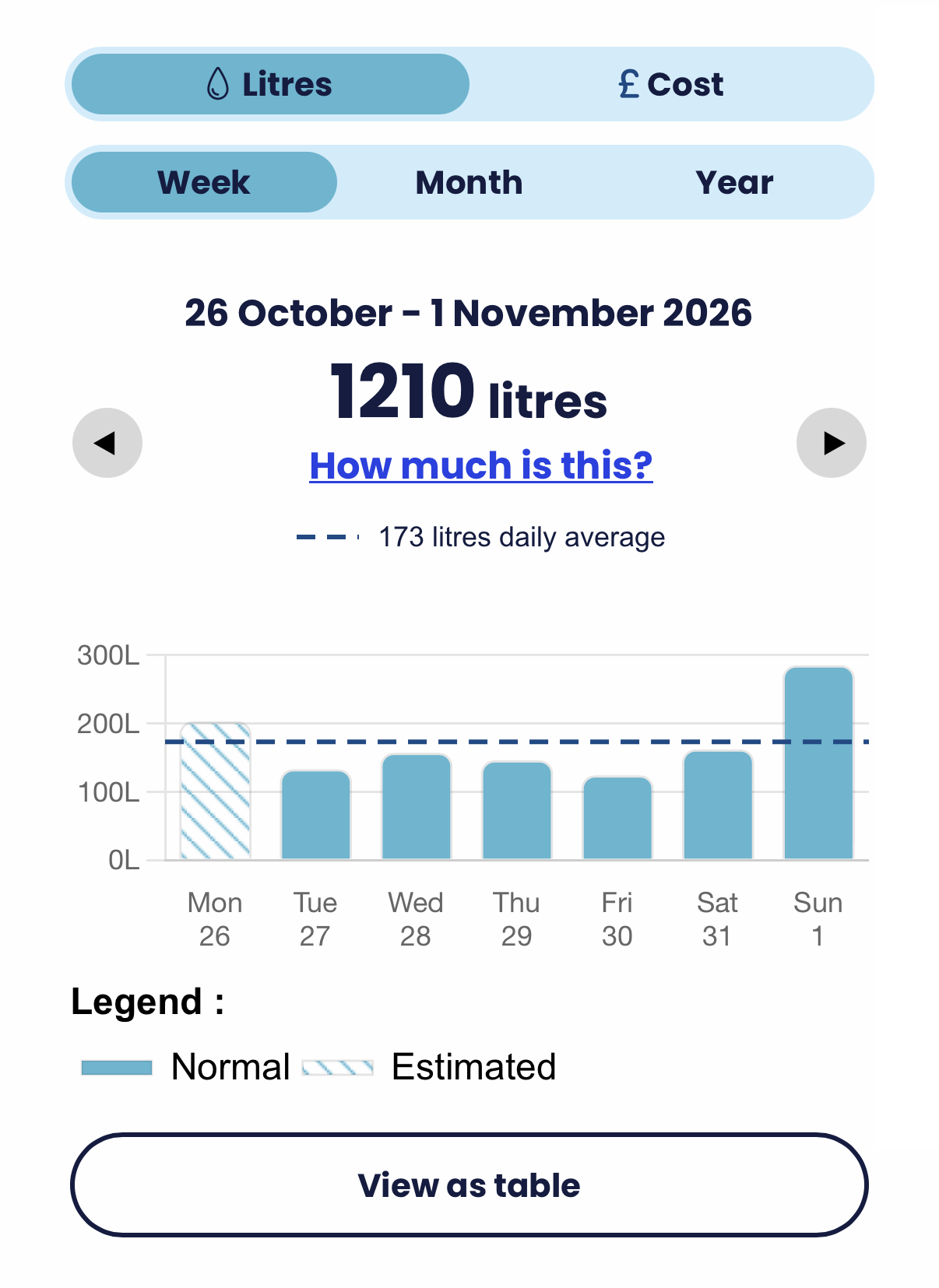
Litre view
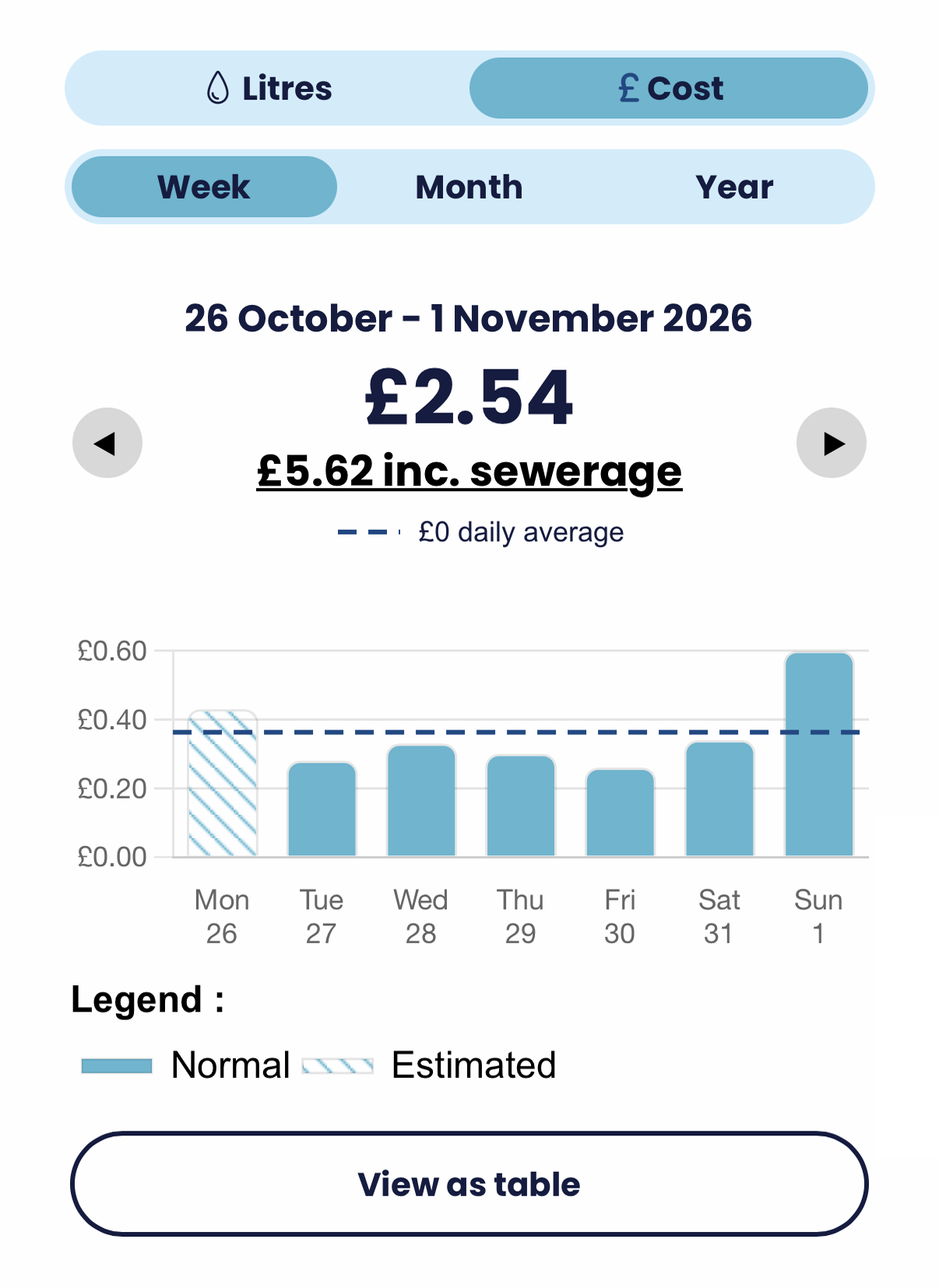
Cost view
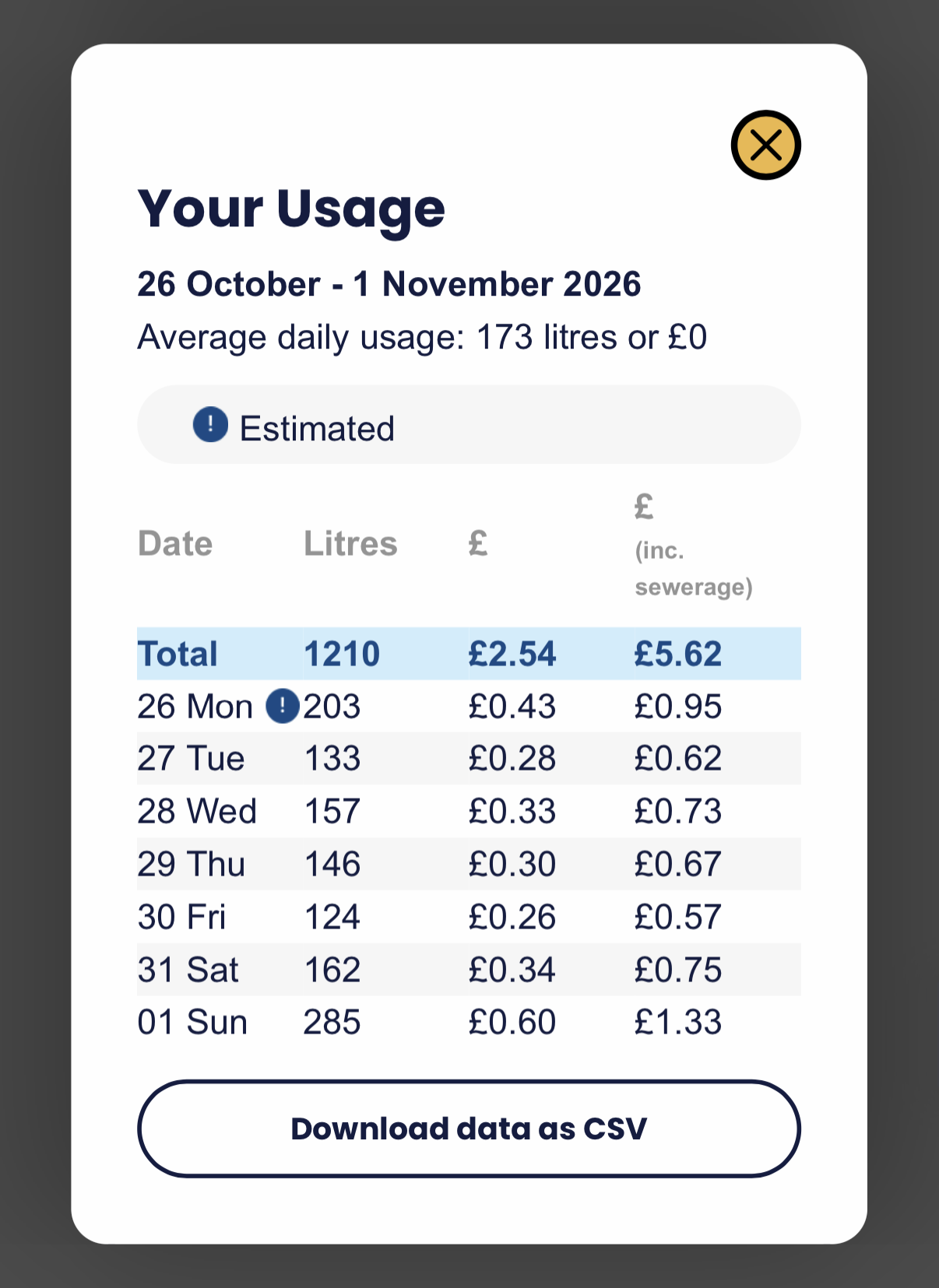
View as table
FAQs
When can I access my smart meter data?
We'll let you know by email or letter when your usage data is ready to view on your online account. Once you've got this, sign in or create an online account to view your data.
It can take a few weeks to several months for smart meter data to become available online. This is because we need to receive enough usage information from your meter before we can show meaningful data in your account. Network and connection issues can sometimes affect how quickly this happens.
Why can’t I see my water usage by the hour?
Right now, you can view your water usage by day, week, month or year in your online account. Daily usage is available with a 24-hour delay.
We're working on improving the information available in the Your Usage section and hope to provide more detailed insights in the future.
How is my average usage calculated?
Week view
We add up the amount of water you've used each day during the week, then divide it by the number of days in that week.
Month view
We add up the amount of water you've used each day during the month, then divide it by the number of days in that month.
Year view
We add together the usage for each month shown and divide it by the number of months.
If you're viewing Cost instead of Litres, we use the same method, based on your estimated costs rather than water usage.
Will the cost shown match my bill?
Not exactly.
The cost shown in your online account is an estimate based on the water you've used. It doesn't include fixed charges, such as standing charges, so it may differ from the amount shown on your bill.
If you're on one of our support schemes, your charges may be different.
Why is the cost shown different from my payment plan?
If you pay by a payment plan, the amount you pay won't always match the costs shown in Your Usage.
Customers with smart meters are billed every three months. Your payment plan spreads these costs across regular weekly, fortnightly or monthly payments.
We calculate your payments using your past meter readings and expected future usage. We review your plan regularly and may adjust it if your usage changes significantly.
Why are some days estimated?
Sometimes we don't receive enough information from your smart meter to show actual usage data.
This is usually due to a temporary communication issue between the meter and our network. For example, there may be standing water, debris or another obstruction around the meter chamber.
Where possible, we'll estimate your usage using your recent water use history. If we have actual data for at least 7 of the previous 14 days, we'll use that information to calculate an estimate.
Will estimated days affect my bill?
Usually, no.
Occasional estimated daily readings won't affect your bill. We only estimate your bill if we haven't received any meter readings at all.
Why am I seeing the message "Sorry, this data isn't currently available"?
This message appears when we haven't received enough regular and consistent readings, usually due to connection problems, to show your usage.
The connection can be affected for several reasons, including:
- objects covering or blocking the meter chamber, such as parked vehicles, pots or building materials
- water inside the meter chamber
- dirt, leaves or other debris around the meter
- nearby structures, such as concrete, metal covers or buildings, affecting the signal
- temporary network issues or severe weather conditions.
When will my usage information be available again?
To make sure the information we show you is reliable, your smart meter needs to send us enough consistent data before we can display your usage in your online account.
Your smart meter will continue to collect meter readings and your usage information will automatically reappear once sufficient data is available.
In some cases, we might send someone out to read your meter.
What is LoRaWAN and how does the smart meter send readings?
Our smart water meters don't use your home's broadband or Wi-Fi. They use LoRaWAN, which stands for Long Range Wide Area Network. It is a low-power wireless network designed for devices that send small amounts of data over long distances. The meter records water usage and sends this information to nearby gateways, which securely forward the data to Yorkshire Water.
Why do you talk about 110 litres per person per day?
Under the Environment Act, England has a long-term ambition to reduce average household water use to 110 litres per person per day by 2050.
Reaching this goal will help protect water resources, support the environment and make sure there's enough water for future generations.
We're sharing information about your water use because understanding how much water you use is often the first step towards using it more efficiently.
You can track your water use through the Your Usage page in your online account and see how small changes can add up over time.